
Play Your PC Games on Any Screen.
Your own Windows PC or Mac runs the games. The phone, tablet, TV or laptop you play on needs only a browser, with nothing to install.
LinkRaze streams the games on your own Windows PC or Mac to this phone. You set it up on that computer first, and we can email you the link.
Encrypted End to End. Our Relays Only Forward Bytes.
Your stream is encrypted between your browser and your own PC with a key the two of them derive directly — our relay servers pass along ciphertext they cannot read. Here is what that means in practice.
Both installers are code-signed — Authenticode with a trusted timestamp on Windows, signed and notarized by Apple on macOS — so your computer can verify the download came from LinkRaze Technologies Ltd and has not been altered. The full list of measures is in the Security section of our Privacy Policy.
When Milliseconds Decide
In a boss fight, a dodge that lands a few frames late is a dodge that never happened — and your health bar pays for it. That's the whole reason input latency matters. LinkRaze's input path is tight enough that a frame-perfect roll still reads as frame-perfect, no matter which screen you're playing from.
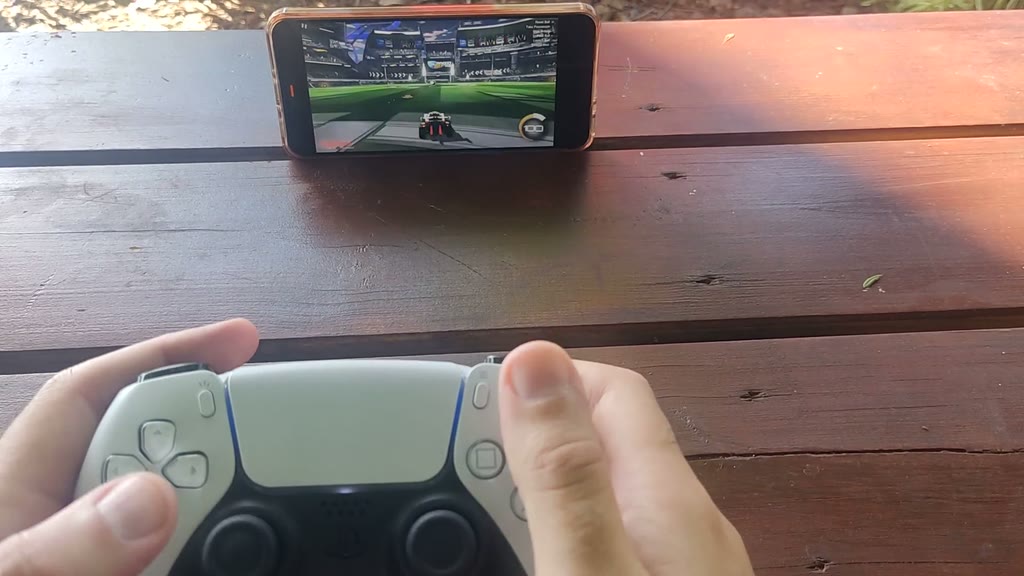
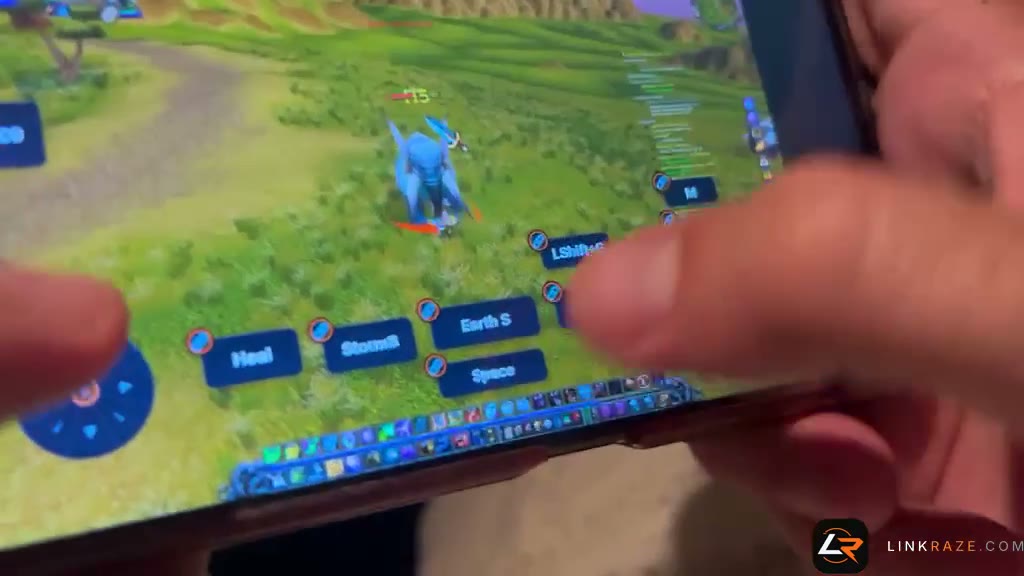
A controller anywhere, keyboard and mouse with raw aim where there's a desk, and on-screen controls you lay out yourself where there isn't: virtual stick, D-pad, mappable buttons.
Built to Feel Like You're Sitting There
At the centre is the tower under your desk — the one with your games already installed on it. Everything circling it is just a browser that found its way home. No cloud game library, no fixed catalog, no compromise.
Scroll to walk down the flight — and when a screen reaches the front, play it.
Up and Running in Two Steps
Install once on your gaming PC or Mac. Play from anywhere.
A session takes the shortest road it can get: direct between the two machines where the network allows it, bent through one of our relays when it doesn't, and dropped onto an ordered TCP stream when everything else is blocked.
Free to Use
Stream your PC for free — up to 5 GB of data transfer every month. No credit card required to get started.
$0
Everything you need to stream your PC, free every month.
Create Free AccountNo credit card needed
5 GB of data transfer every month
How far does 5 GB go?
Data use depends on the bitrate you pick, not the frame rate. Roughly, per month:
- Low Bandwidth 15 fps · 1 Mbps ≈ 12 h
- Default 30 fps · 2.5 Mbps ≈ 5 h
- Smooth 30 fps · 3 Mbps ≈ 4 h
- Sharp 15 fps · 6 Mbps ≈ 2 h
- Gaming 60 fps · 8 Mbps ≈ 1 h
You set the frame rate and bitrate yourself in the viewer; these rows are common settings.
- Low-latency video streaming
- Audio streaming (both directions)
- Custom on-screen controls
- Works on any device, any browser
LinkRaze is currently free during early access — plans and pricing will be announced later.
Frequently Asked Questions
Your games. Any screen.
Your own PC, on whatever screen is nearest. 5 GB free every month, no credit card needed.
This browser just ran four real games while you scrolled.
Not sure where to start? Watch the two-minute setup walkthrough.